

The Vive VR controller has some functions that can be used during the simulation. However, all functions, except the laser pointer and "grabbing" objects, can also be done by keyboard input.
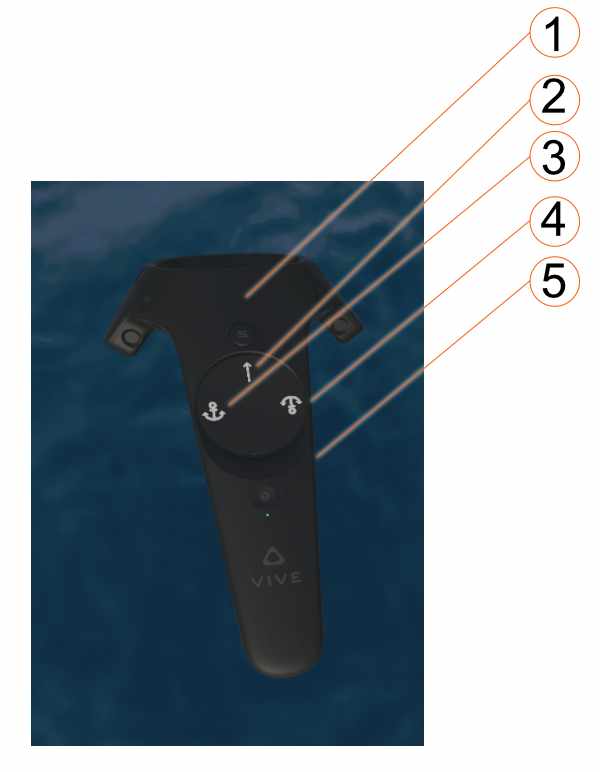
- Press Trigger button (index finger): Grasp things and hold or release
- Press touchpad: laser pointer to select e.g. cleats
- Press left side of touchpad: Release anchor winch (anchor down)
- Press right side of touchpad: Retrieve anchor winch (anchor up)
- Press handle buttons: make or break line connection between two selected cleats.
- Swipe touchpad from left to right: Extend currently selected line connection.
- Swipe touchpad from from right to left: Shorten currently selected line connection.